Claude
Connect Claude through MCP and ask for a week of posts in plain words.
ReelHero turns your real screens into reels and slideshows, posts them every day and makes more of what gets views. Nothing goes out until you say yes.
Posts to
Pocketmint, a demo finance app
Distribution is showing up every day. After the first week, ReelHero keeps finding new things to post about, and never repeats itself.
Black FridayPocketmint
Dates that suit your product, like payday or Lunar New Year, get posts in the days before.
A comment, answeredTiny Tides
Paste a comment someone left. It answers on screen, with the screen that shows it.
A theme pageShipnote
Picks and quizzes from your audience’s world, for a second account that isn’t your brand’s.
Part 2Pocketmint
When a post beats your usual, it makes the next part.
Every post is checked against everything you’ve posted. The same first line, the same words over the same screen or the same joke gets flagged before anyone sees it.
It counts the fresh posts your product’s details still hold, and how long they last at your pace: 88 for the finance demo with Claude writing, about 13 weeks at a post a day. When it runs low, it asks for something new, and each new feature adds about 14 more.
Formats people already know from TikTok, Reels and Shorts, filled with your screens and your facts.
The showcase
Three screens, three benefits
Reelfor apps and SaaS
POV
Looks like a person posted it
Reelfor any product
Three reasons
Three reasons, one by one
Reelfor any product
Problem and fix
The pain, then your fix
Reelfor apps and SaaS
Up close
One feature, up close
Reelfor any product
Loved by
Real reviews, stacking in
Reelfor apps and games
Gameplay hype
Real gameplay, cut to the beat
Reelfor games
Can you beat it?
A challenge that asks for replies
Reelfor games
Reply to a comment
Answer a question people ask
Reelfor any product
Before and after
The old way next to yours
Reelfor apps and SaaS
Text story
A chat with your app as the punchline
Reelfor apps
Skit
Two characters act out the problem
Reelfor any product
Lock screen
Your best notifications
Reelfor apps
Manifesto
Short phrases on the beat
Reelfor apps and SaaS
Launch day
Out now, with the product in 3D
Reelfor any product
How it works
Three steps, on screen
Reelfor apps and SaaS
By the numbers
Three true numbers
Reelfor any product
Tips
One tip per slide
Slideshowfor any product
Feature cards
App Store style screens
Slideshowfor any product
Photo story
One caption per slide
Slideshowfor any product
Mistakes
Mistakes and their fixes
Slideshowfor apps and SaaS
Us versus them
You and the old way, side by side
Slideshowfor apps and SaaS
Proof
Rating, reviews and a quote
Slideshowfor any product
How-to
Step by step
Slideshowfor apps and SaaS
Questions to ask
For theme pages: questions to send someone
Slideshowfor any product
Quiz
For theme pages: a quiz with a score
Slideshowfor any product
This or that
For theme pages: pick one of two
Slideshowfor any product
Who’s more likely
For theme pages: who’s more likely, A or B
Slideshowfor any product
Tiny habits
For theme pages: small habits to save
Slideshowfor any product
Skit
For theme pages: a skit people tag friends in
Reelfor any product
Your screenshots become reels and slideshows that show people what your app does for them. Paste your App Store or Google Play link to start.
Demo on this page: Pocketmint
Your screenshots and gameplay become challenges, hype reels and tips that show how your game plays. Paste your Steam, App Store or Google Play link.
 Demo on this page: Tiny Tides
Show what your product does for a team, with how-tos, feature tours and before-and-afters. Paste your website: it picks up your name, colours and screens.
 Demo on this page: Shipnote
On the Studio and Agency plans, Claude, Cursor or any MCP assistant can make, check and plan a week of posts for you. Out of the box, only you can approve them.
Connect Claude through MCP and ask for a week of posts in plain words.
Make and plan posts from your terminal, next to your code.
Add ReelHero to Cursor and ask for posts while you ship.
The same tools as the app: make posts, look at them, plan the week and read the results.
Everything the app does is in its REST API. Make, plan and publish posts from your own code, with the same keys.
Plan the week, change anything in a minute and see what works. These are the app’s real screens, with the demo products in them.
Drop posts into your posting times, or let it fill the week for you. It mixes reels and slideshows and spaces out the formats.

Every reel gets music made for it and cut to its scenes, in 9 styles. It isn’t someone else’s song.
Swap a screen, fix a word, try another look or another track. What you see in the preview is exactly what gets posted.

It works from your real screens and your product’s facts, and flags what it can’t back up before anyone sees it: a number, a “the best”, an ad word, a line that sounds like a made-up review, or a word you’ve banned.
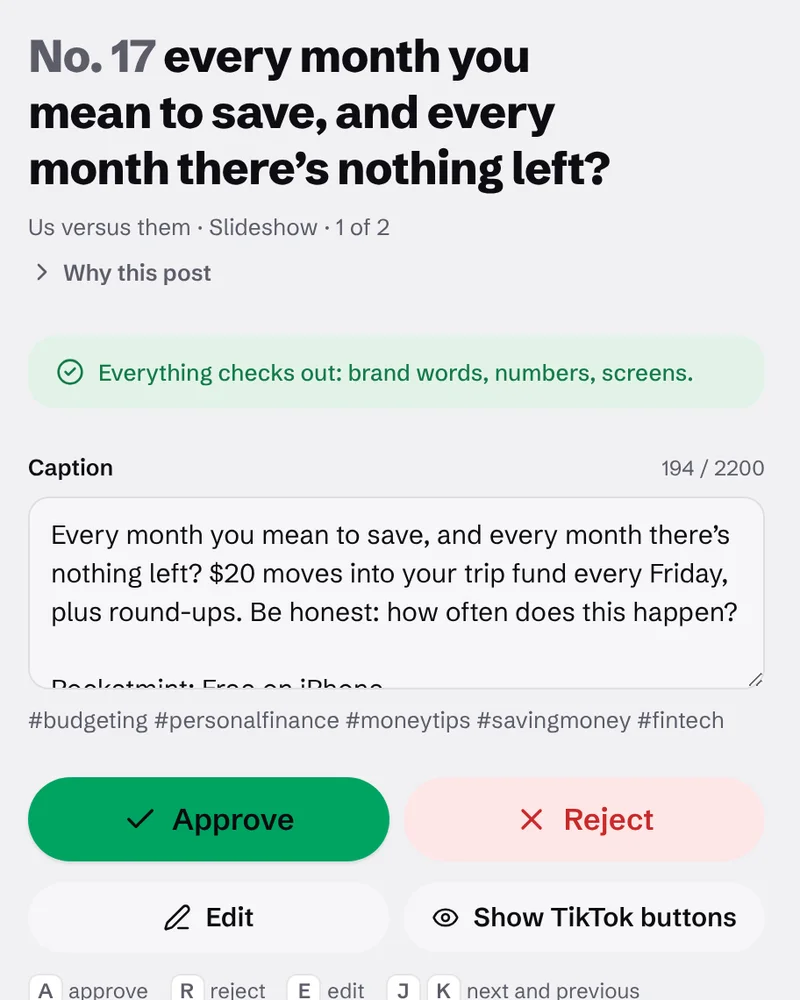
Let Claude, Claude Code or Cursor make and plan posts for you. Every step they take shows up in the app, and by default their posts wait for you to approve.

When you post through Post Bridge, views, likes and shares come back by themselves. It learns which openings, stories and features beat your usual, and on paid plans the next batch does more of them.

Post Bridge is a separate posting service. Connect it once, send your planned week in one go, and each post goes out at its time to the networks you picked. Or download any post and put it up yourself.
| Network | Reels | Slideshows |
|---|---|---|
| TikTok | Yes | Yes |
| Yes | Yes | |
| YouTube | Yes | Videos only |
| Yes | Yes | |
| X | Yes | Yes |
| Yes | Yes | |
| Yes | Yes |
The free plan makes 10 posts a month for one product, with every format. Paste your link to start.
Every plan has every format, the editor and the weekly plan. Paid plans add Claude as your writer, posting through Post Bridge, and results that shape the next batch.
Try it on one product.
$0/ month
Start freeNo card needed.
1 product
10 posts a month
One product, a post or two a day.
$29/ month
Start free for nowAvailable once checkout opens.
1 product
45 posts a month
A few products at once.
$79/ month
Start free for nowAvailable once checkout opens.
3 products
150 posts a month
Up to 10 products, yours or your clients’.
$199/ month
Start free for nowAvailable once checkout opens.
10 products
450 posts a month
Paid plans aren’t open yet. Checkout is on its way; until then, start with the free plan. Prices are in US dollars.
Need more posts? Packs of 30 for $19 or 100 for $59 go on sale when checkout opens. They last 12 months.
What counts as a post? One reel or one slideshow, however many networks it goes to. Editing it is always free.
Twelve posts for three demo products, with nothing edited. Hover over one to play it.Tap one to play it.
Want to play as long as you like, with no energy bar? Nothing stops you after five moves, and the levels have no timers. What’s the most annoying thing a game has made you wait for?
Tiny Tidesdemo puzzle gameEvery line links to its PR, so you can trust the draft. Internal chores like dependency bumps are left out, and each sentence links to the pull requests behind it. How many PRs went out in your last release?
Shipnotedemo tool for release notesA finance app where you never spend your rent money by accident. Rent and bills are set aside the day you get paid, so the number you see never includes them. Does this happen to you too?
Pocketmintdemo finance appPOV: you can play as long as you want: no timers, no energy bar. Nothing stops you after five moves, and the levels have no timers. What level would you quit at?
Tiny Tidesdemo puzzle gamePOV: the draft is ready when the release is. Drafts, scheduled and published releases, each with its PR count and readers. How does your team do this today?
Shipnotedemo tool for release notesPayday comes, and ten days later the money is gone? Rent and bills are set aside the day you get paid, so the number you see never includes them. How many days after payday does yours last?
Pocketmintdemo finance appOk what is this game called. Coral bricks from your levels rebuild Coralhaven house by house: the lighthouse, the bakery, the little school. Do you play for the score or for the progress?
Tiny Tidesdemo puzzle gameHow to turn merged PRs into release notes. When a release is ready, Shipnote reads the merged pull requests and drafts the entry: 14 PRs, one readable update. Who writes the release notes on your team?
Shipnotedemo tool for release notesWant to save for a trip without thinking about it? $20 moves into your trip fund every Friday, plus round-ups. What are you saving for right now?
Pocketmintdemo finance appRated 4.7 by 18,400 people. What would you rate it?
Tiny Tidesdemo puzzle gameCustomers see what’s new without asking. A hosted changelog with dated entries, and an email digest people can sign up for. Do your customers know what you shipped last month?
Shipnotedemo tool for release notesOk but how does it work? $20 moves into your trip fund every Friday, plus round-ups. How do you handle this today?
Pocketmintdemo finance appWhat it makes, where it posts, what it costs and who approves, answered plainly.
It makes short videos and slideshows that show people what your app, game or SaaS does, from your real screens. Paste your App Store, Google Play, Steam or website link: it writes and designs the posts, plans them across your week and posts them through Post Bridge. You approve every post first.
Short videos (reels) for TikTok, Instagram and YouTube Shorts, and swipeable photo posts (slideshows) for every network but YouTube. Each one is made from your own screens, with words and music to match.
From your App Store, Google Play or Steam page, or your website. From Steam it can bring your trailer too. You can add your own screenshots and screen recordings as well.
It’s built not to. It writes only from your product details and your screens. Numbers and claims like “the best” are checked against your facts, and a line that sounds like a customer vouching for you is flagged too, since your brand would be the one posting it. You fix anything flagged before it goes out.
They’re written to sound like a person: what your product does for people, or which problem it solves, in plain words, over the screen that shows it. Ad words like “unlock” or “seamless” and stock openers like “this is your sign” are flagged before anything goes out.
No. Posts come out ready to go. If you want to change something, you click it and type, or pick another screen.
TikTok, Instagram, YouTube, Facebook, X, LinkedIn and Pinterest, through Post Bridge. Connect it once, send your planned posts in one go, and each goes out at its time. You can also download any post and put it up yourself.
Only to post automatically. Post Bridge is a separate service with its own plans. Without it, download your posts and put them up yourself.
Yes, on the Studio and Agency plans. Claude, Claude Code, Cursor and any other assistant that supports MCP can connect with a key you make in the app. They can make posts, plan your week and keep track of results.
Yes, on the Studio and Agency plans. Everything the app does goes through its REST API, and the keys you make for AI assistants work there too, so your own scripts can make and plan posts.
Yes. It makes 10 posts a month for one product with the built-in writer, with every format, the editor, the weekly plan and downloads.
Not yet. Checkout for the paid plans isn’t open; until it is, start with the free plan.
Every reel gets its own track, made fresh for that post and cut to its scenes. It isn’t someone else’s song. On TikTok, slideshows get a sound that TikTok picks. Reels can also go to TikTok as drafts without our track, so you can pick a TikTok sound in the app.
Claude writes the words on paid plans. On the free plan, a built-in writer works from your product details, without AI. The pictures always come from your real screens, never from an image generator.
You do. Nothing goes out until it’s approved. You can let your AI assistant approve posts too, but that stays off unless you switch it on.
Paste it and your first reels and slideshows are ready to look over in minutes. Nothing goes out until you say yes.